About
Polymerase M4L is an inspirational MIDI sequencer powered by genetic algorithms. It generates reproducible yet evolving rhythmic and melodic patterns, offering a perfect blend of consistency and surprise. Inspired by DNA manipulation, this Max4Live device invites you to explore the intersection of algorithmic precision and human creativity, making it an essential tool for dynamic musical compositions.
Polymerase is all about exploration. With intuitive controls and a focus on experimentation, it encourages you to push creative boundaries and discover unique patterns. While inherently repetitive by nature, its evolving sequences add subtle variation and depth to your music.
Designed to integrate seamlessly with your workflow, Polymerase is best used before a Scale MIDI device for harmonic output, as it doesn’t process scales directly. This allows you to craft intricate, unbounded sequences and then adapt them to fit your harmonic needs.
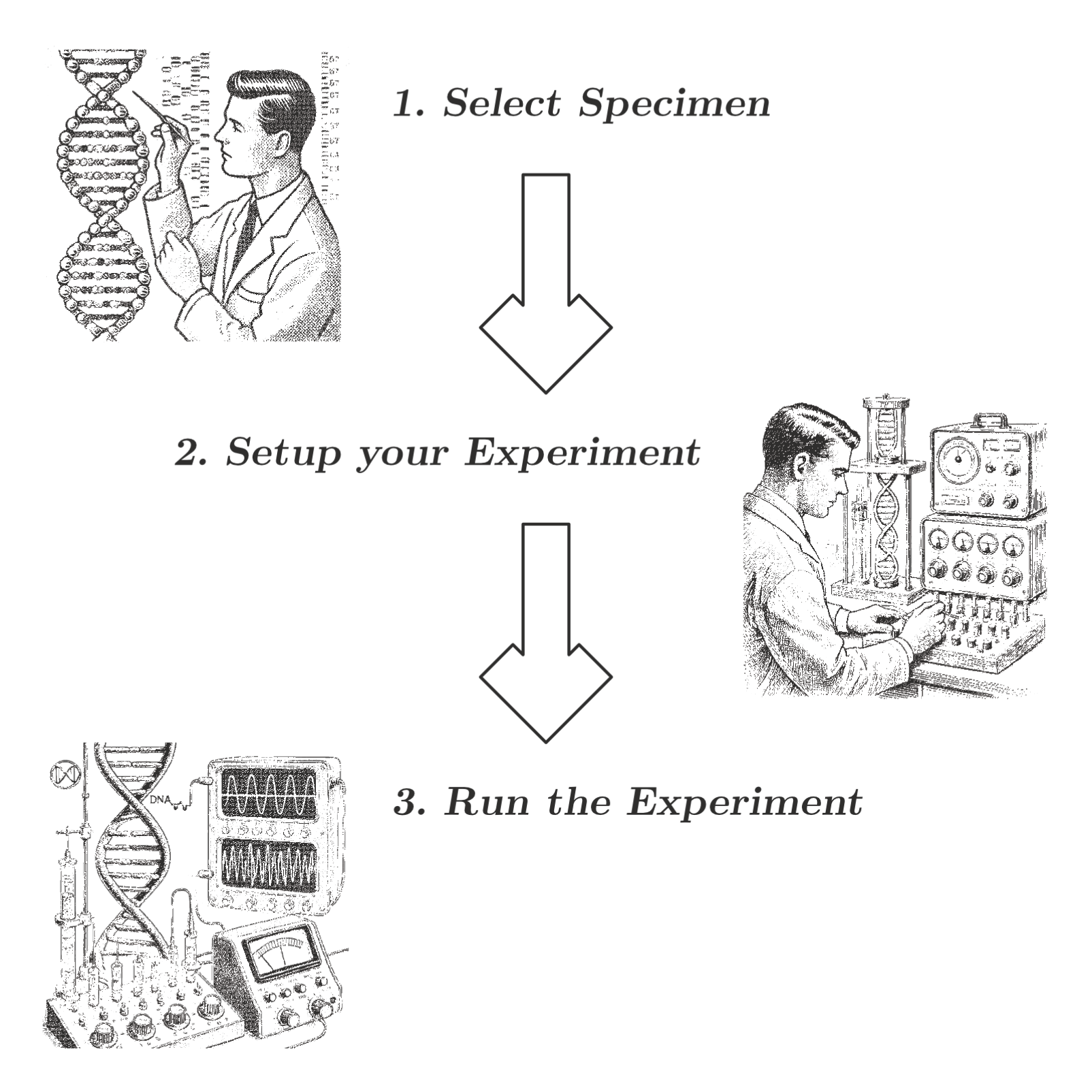
How it works: Polymerase transforms your input into an endlessly evolving sequence. Start by selecting a Specimen, which defines a genetic sequence composed of multiple genes. As the sequencer runs, this sequence is read continuously, generating note pitch, velocity, and duration based on the genetic data. The Inhibitor refines the output by reducing the number of generated notes while preserving the rhythmic structure. Adjustable mutation strength introduces random variations to the base sequence, ensuring that every playback cycle feels both familiar and fresh. With Polymerase, you control both stability and evolution in your musical patterns.
Visit phasenpunkt.de for more information, updates, and new projects, and start your journey into musical evolution today.
Installation
Prerequisites
- Ableton Live Suite 11.2 or higher
Installation Steps
- Download and Extract: Unzip the downloaded file to a location of your choice.
- Locate the Max4Live Device: In the extracted folder, find the file named
Polymerase.amxd. - Install in Ableton Live:
- Open Ableton Live.
- In Ableton Live, navigate to the browser panel on the left side.
- Drag and drop the
Polymerase.amxdfile into the “Max for Live” folder in the browser.
- Alternative Installation Method:
- Alternatively, copy the
Polymerase.amxdfile to your Ableton Live User Library:- Windows:
C:\Users\[YourUsername]\Documents\Ableton\User Library\Presets\Audio Effects\Max Audio Effect - macOS:
/Users/[YourUsername]/Music/Ableton/User Library/Presets/Audio Effects/Max Audio Effect
- Windows:
- Alternatively, copy the
Use Polymerase
To use Polymerase, drag it from the Ableton browser onto a track in your Ableton Live Set.
Access Manual
The detailed Owners Manual is included in the download as a PDF file. Open this file for comprehensive information on using this device. In addition, open the info view in Ableton Live for a short description of each UI component.
Quick Start
- Add Polymerase to Your Track: Drag and drop the Polymerase Max4Live device onto a MIDI track in Ableton Live.
- Select a Specimen: Use the Specimen Selector to choose a genetic sequence. This defines the foundation for the rhythmic and melodic patterns.
- Set Your Parameters: Adjust the Mutation Rate to control how much the sequence evolves over time. Fine-tune Inhibitor settings to filter out notes while maintaining the rhythm, and modify the Sequence Length for your desired loop size.
- Route MIDI to an Instrument: Connect the MIDI output from Polymerase to a virtual instrument of your choice. For harmonic output, add a Scale MIDI device after Polymerase to constrain notes to a specific scale.
- Press Play: Start playback in Ableton Live to hear the sequence evolve in real time. Adjust parameters on the fly to explore unique patterns and create dynamic compositions.
- Experiment and Iterate: Try different specimens, parameters, and instruments to fully explore the creative possibilities of Polymerase.
Parameters
Specimen
- A.1, A.2, B.5: Use these three controls to select a specimen to examine. Each combination of these parameters will have a unique result.
Experiment Setup
- SEQ LENGTH: Determines the length of the sequence, multiples of 8 produce more stable results.
- INHIBITOR: Controls the expression of genetic traits in the sequence. Notes below this threshold remain dormant, creating rests.
- MUTATION RATE: Sets the rate of random genetic mutations, driving innovation and unpredictability in the musical DNA (in beats).
- DEPTH: Determines the impact of genetic mutations, shaping how deeply they alter the sequence’s structure.
- “MUTATE” button: Mutates sequence instantly.
- “RESET” button: Resets the DNA sequence.
- RST PLAY: Automatically resets the experiment when playback begins, preparing for a fresh start.
Note Generation
- Note selectors: Choose the lowest and highest possible note.
- DURATION: Determines note length, it’s a percentile of the note duration.
- Global Scale: If the global scale button (”♭♯”) is active, the generated notes will be constrained to the selected global scale. If it’s inactive, the generated notes will be unbounded and may include any MIDI note value within the upper and lower bounds. Requires Ableton Live 12.0 or higher.
- VOICES: Number of voices.
- Note Length Probability Matrix: Determines probabilities for note lengths. And may result in a nice illustration. Click and hold, and move up and down - you’ll get the grip. It’s an experiment in the end.
Service
Maintaining your device is as straightforward as dialing into a rotary phone: Just hop over to phasenpunkt.de whenever you remember it exists. With the luck of finding a working payphone in 2024, you might just catch an update — if the stars align and the internet gods are in a good mood.
Jokes aside, you’ll receive an e-mail with a new download link whenever an update is released.
Version History
Version 1.1.0 (2026-02-08)
-
Global Scale Option: Added a toggle to constrain generated notes to the selected global scale when active, providing more harmonic control and ease of use. Requires Ableton >= 12.0.
-
Undo History: Triggering MUTATE or RESET no longer generates unnecessary undo steps, but both remain fully automatable. Note: When using automation envelopes, each change will still create an undo step.
Version 1.0.0 (2024-12-27)
- Initial release.
All rights reserved.
No part of this manual may be reproduced without permission.
The images included in this document were generated using ChatGPT’s AI capabilities. Any resemblance to real persons, places, or events is purely coincidental.
Polymerase M4L is a product of phasenpunkt, crafted with love, code, and a touch of genetic mystic.
Visit us in the digital realm: https://phasenpunkt.de
Got questions, feednack or just found a glitch in the matrix? Drop us a line: info@phasenpunkt.de